Here’s a summary of what’s new in libvips 8.18. Check the ChangeLog if you need more details.
The headline features are support for UltraHDR, camera RAW images, and Oklab colourspace.
UltraHDR support
UltraHDR is a way of embedding a gainmap plus some extra metadata inside an ordinary SDR image. An SDR display can just show the regular SDR image, but an HDR display can extract the gainmap and use it to reconstruct a full HDR image. Having a single image file that can display well on both SDR and HDR devices is very valuable.
libvips 8.18 uses Google’s libultrahdr for UltraHDR load and save. The current version of this library only supports UltraHDR JPEG images; the next version is expected to add support for a wider range of image formats.
There are two main paths for UltraHDR images in libvips: as an SDR image with a separate gainmap, and as a full HDR image. The separate gainmap path is relatively fast but you will sometimes need to update the gainmap during processing. The full HDR path does not require gainmap updates, but can be slower, and will usually lose the original image’s tone mapping.
A new chapter in the libvips documentation introduces
this feature and explains how to use it. As an example, you can use
vipsthumbnail to resize UltraHDR images. This command:
$ vipsthumbnail ultra-hdr.jpg --size 1024
Makes this image:
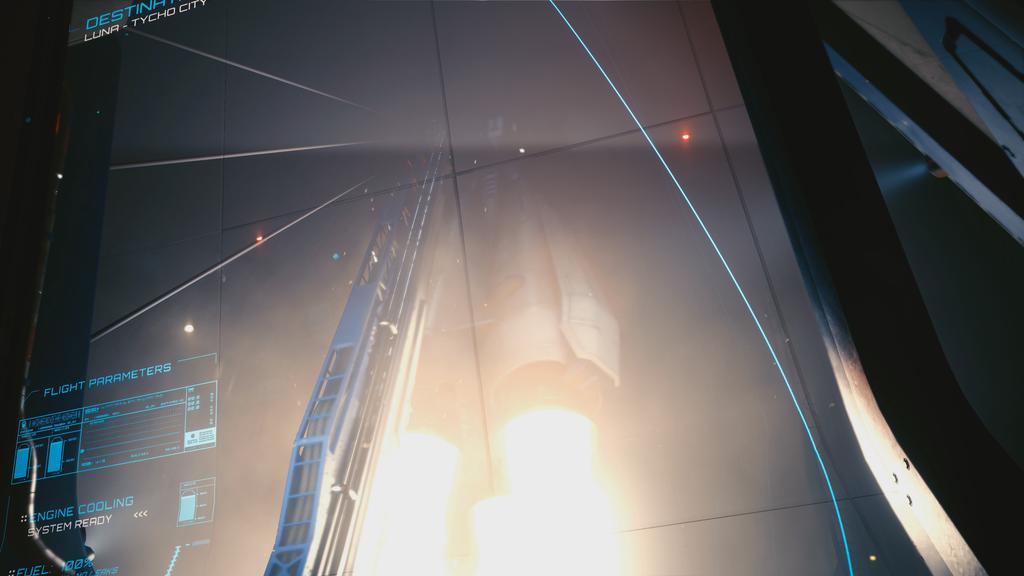
If you view that image on an HDR display and with a web browser that supports UltraHDR images, the rocket exhaust should look very bright. It should also look nicely tonemapped on an SDR display.
We’d like to thank nlnet for their generous support while developing this feature.
Camera RAW support
Thanks to @lxsameer, libvips 8.18 now uses libraw
to add support for most camera RAW formats. The new
vips_dcrawload() operator will
be used to automatically import images, for example:
$ vipsthumbnail IMG_3260.CR2 --size 1024
Makes this image
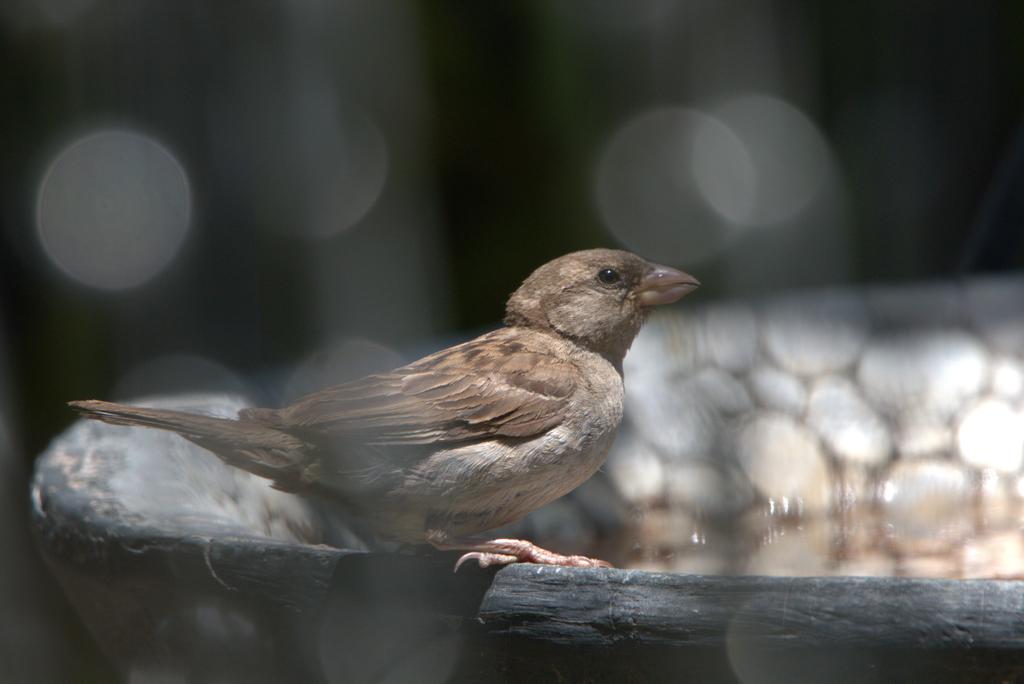
Most time is spent in dcraw, so performance isn’t that much better than the previous solution with imagemagick:
$ /usr/bin/time -f %M:%e convert IMG_3260.CR2 -resize 500x x.jpg
442076:1.56
$ /usr/bin/time -f %M:%e vipsthumbnail IMG_3260.CR2 --size 500
359336:1.12
But it’s convenient to have it all in one thing.
Support for Oklab colourspace
Oklab and Oklch are new colourspaces that are more linear than CIELAB ‘76, faster to compute, and support HDR imaging. They have been added to CSS4 and are now implemented by all major web browsers.
libvips 8.18 supports them like any other colourspace, so you can use Oklab coordinates in image processing. For example, you could render a watermark in an Oklab colour like this:
#!/usr/bin/env python3

import sys
import pyvips

im = pyvips.Image.new_from_file(sys.argv[1], access="sequential")

# make the watermark
text = pyvips.Image \
    .text(sys.argv[3], width=500, dpi=600, align="centre") \
    .rotate(45)
colour = text \
    .cast("float") \
    .new_from_image([float(value) for value in sys.argv[4:]]) \
    .copy(interpretation="oklab") \
    .colourspace("srgb")

# use the text as the alpha, scaled down to make it semi-transparent
text = colour \
        .bandjoin((text * 0.8).cast("uchar")) \
        .copy_memory()

# replicate many times to cover the image
overlay = text \
    .replicate(1 + im.width / text.width, 1 + im.height / text.height) \
    .crop(0, 0, im.width, im.height)

# composite on top of the image
im = im.composite(overlay, "over")

im.write_to_file(sys.argv[2])
I can run it like this:
$ ./watermark-oklab.py ~/pics/theo.jpg x.jpg "in the beginning was the word" 0.7 0.2 -0.2
To generate:
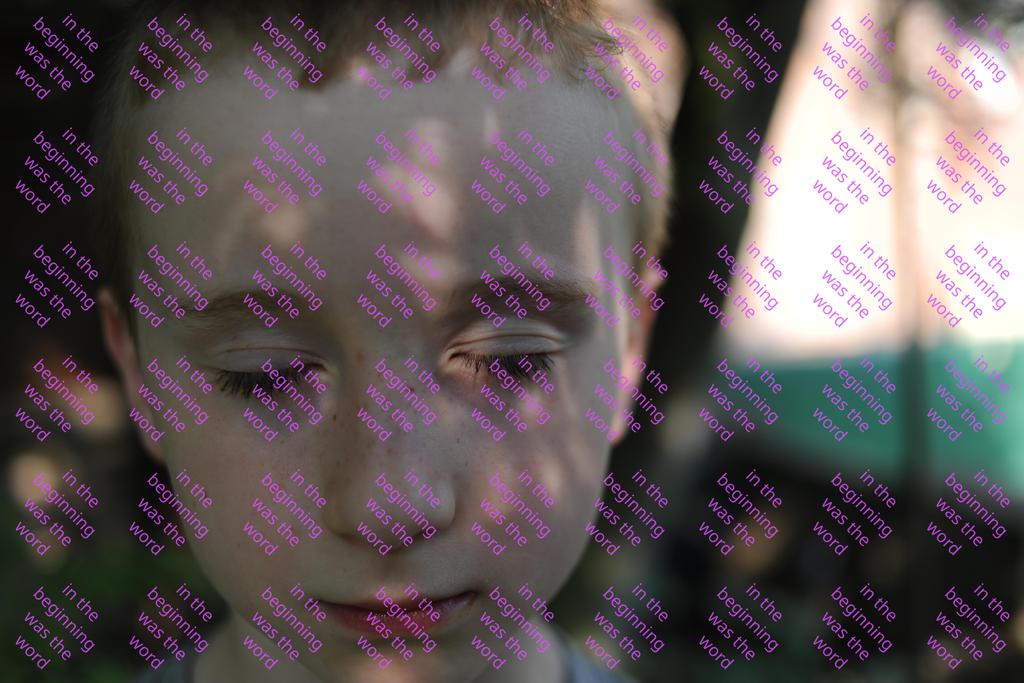
A watermarked image, with the watermark colour specified in Oklab coordinates.
Improvements to the libvips core
The libvips core has seen some useful improvements, mostly driven by interactive use:
-
The mmap window size hadn’t been reviewed for a long time, and I think had been previously set after benchmarking on a 32-bit machine with limited VMEM. For 64-bit machines this is now much larger, improving random access speeds for many file formats.
-
vips_system()has a new"cache"argument which adds the command to the libvips operation cache. This makes nip4 much, much faster at issuing ImageMagick commands. -
A new system for forcing the exit of worker threads makes threadpoool shutdown dramatically faster, greatly improving interactive performance.
-
Tiled image formats now set metadata to hint their cache size to downstream operations. This can help prevent retiling, again improving interactive performance.
-
vipsthumbnailhas a new"path"argument. This gives you much more flexibility in how the output filename is constructed. The old-ooption is still supported, but is deprecated.
Better file format support
As well as the RAW support above, the other file format operations have seen some improvements:
-
vips_pdfload()has a new"page-box"argument which lets you control which of the various media boxes you’d like to load. -
vips_jxlload()has a new"bitdepth"argument which sets the depth at which the image should be loaded. -
vips_webpsave()has a new"exact"argument which forces the RGB in RGBA to always be saved, even if the pixel is transparent. This can be important if you are using WebP to store data. -
vips_heifsave()has a new"tune"parameter that lets you pass detailed options to the encoder. Handy for tuning output.